Health Signals: Data Visualization

Health Signals: Data Visualization

A visual exploration of a data visualization mobile health UI, focused on hierarchy, layout, and motion polish.
TL;DR

TL;DR

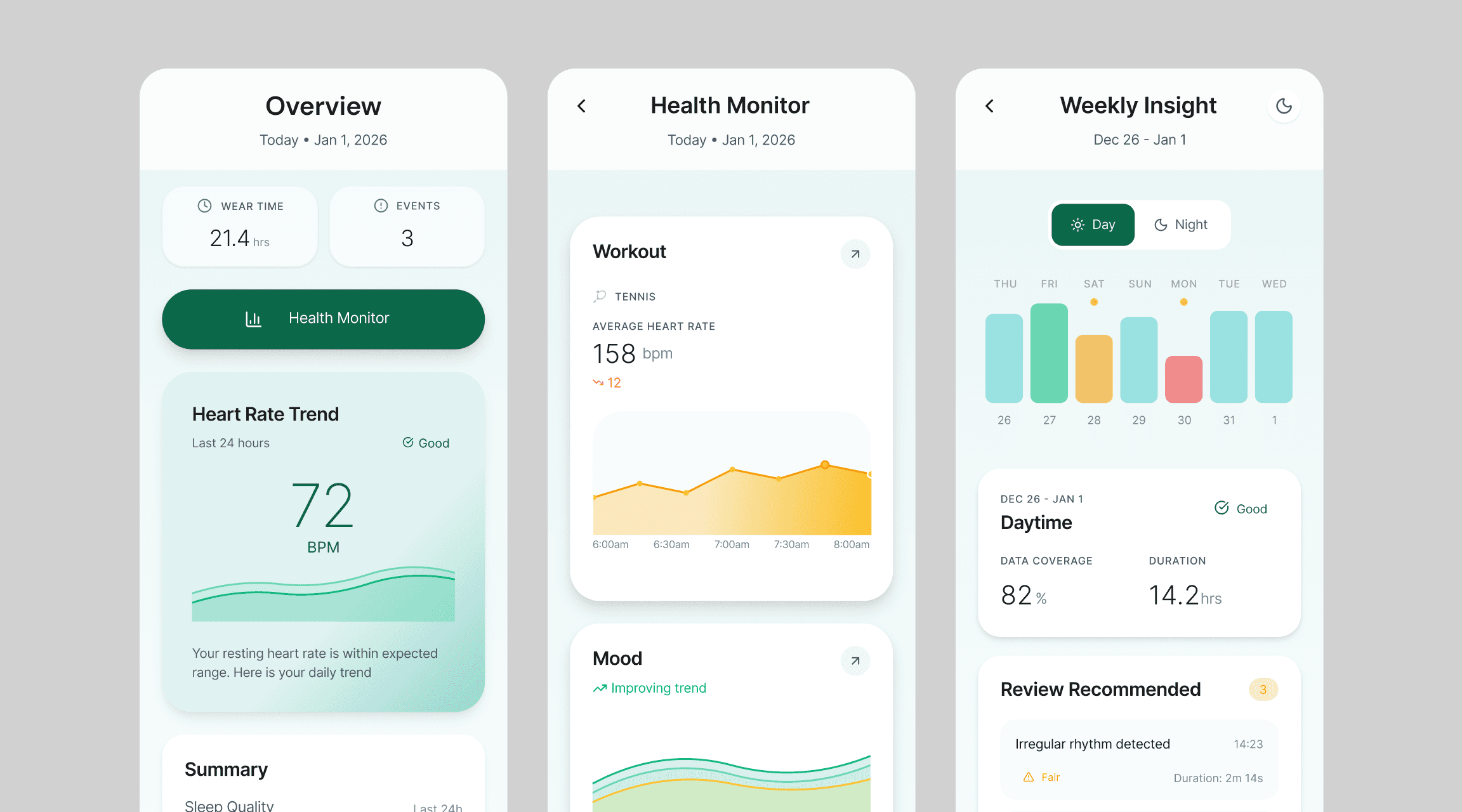
In one day, I explored an AI-assisted workflow to design a mobile health UI concept. This is intentionally an early concept, created to test the visual system and information hierarchy. I used Figma Make for rapid exploration, refined the details in Figma, and added a light layer of motion in Jitter.

Intro

Intro

I’ve been obsessed with the calm, premium UI style of Oura Ring and the new wave of digital health wearables. So I set a one-day challenge: design a mobile health concept that turns monitoring data into a clean, trustworthy experience.

Industry

B2C Digital Health
B2C Digital Health

Timeline

Dec 2025, 1 day ☝🏼
Dec 2025, 1 day ☝🏼

Scope

Visual and Motion Design

Tools

Figma and Jitter
Figma and Jitter

Workflow

My process for quick ideation + design:

1

1

1

Getting inspo

Studied Oura-style patterns like soft gradients, calm charts, and card rhythm, then defined a tight visual system (one accent color, predictable spacing, readable type)

2

2

2

Design Iteration

Used Figma Make to generate fast layout directions, then refined in Figma to enforce hierarchy, component and consistency

3

3

3

Motion Polish

Added subtle transitions, card lift, chart easing to elevate perceived quality without distracting from the data

4

4

4

Voila!

Finalized the three screens as a compact visual demo that still reflects real product constraints.

Final UI Concept

Snapshot

A daily view that surfaces wear time, key metrics, and a trend view, designed for a quick glance

Deep Dive

An in-depth view that adds context around the numbers, activity, mood, and progress toward goals

Weekly Summary

A scannable weekly overview and shows events for quick follow-up.

What i'd do next?

If I am shipping this, I will start with:

If I am shipping this, I will start with:

If I am shipping this, I will start with:

aligning the concept with the product’s business objectives, then validate the flow through usability testing and refine real-world edge cases to ensure the experience is both usable and business-ready, not just visually polished.